| Concept | What it means here |
|---|---|
| Checkerboard | A display pattern, not proof of transparency in a file |
| Alpha channel | Coverage information stored alongside color |
| White matte | An opaque background that cannot disappear on placement |

Distinguish a preview from an asset
A screenshot of a checkerboard is an opaque picture of a checkerboard. It is not a transparent asset. The distinction matters when someone copies a preview from a website or takes a screen capture instead of using the download control. The resulting file can look convincing in isolation and then reveal the pattern when placed on a slide, page or colored canvas.
Use the editor’s actual export path. Choose transparent output, then a format that can retain transparency. Keep the file rather than copying the visual preview from the page. If you receive an asset from someone else, place it on a visibly different background and inspect the outer area. That simple placement test is more reliable than deciding from the thumbnail shown in a file browser.
Alpha does not mean every edge is clean
The alpha channel describes how much of a pixel contributes to the foreground composition. An edge can contain partially covered pixels, which helps avoid a rigid stair-step boundary. That partial coverage is useful, but it can also carry color from the original background. A pale fringe against a dark destination can therefore remain even when the outer canvas is genuinely transparent.
A mask correction and a color correction are different operations. Erasing leftover background changes coverage. It does not reconstruct the foreground color hidden inside a mixed edge pixel. Backdropless provides an erase and restore brush and an edge-softness control, but it does not claim a specialist color-decontamination process. If the fringe matters, a cleaner source or a more detailed matting workflow may be necessary.
Keep the master separate from delivery copies
A transparent master is useful because it can be placed onto different backgrounds later. Once you flatten it onto white and export an opaque file, the original alpha is no longer available in that delivery copy. Automatic removal may estimate a new mask, but it cannot recover the exact earlier editing state merely from the white-backed image.
Save a clearly named transparent version before creating background variants. Make each opaque version from that master or from the original workspace. This avoids repeated removal and keeps the relationship between the source and the delivered composition understandable. A file-naming convention is a practical aid here: identify the source, intended destination and background treatment rather than relying on a vague name such as final.
Worked example: a reusable camera cutout
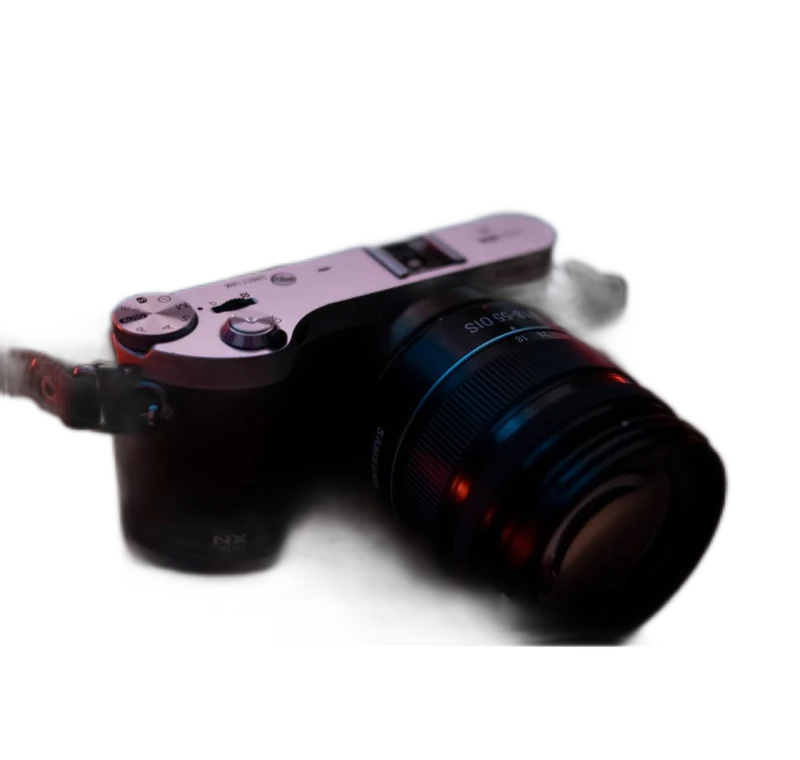
Open the camera example in the studio, run background removal and inspect the strap and outer shell. Use Restore if part of the object is missing and Erase if a detached background fragment remains. Set output background to Transparent and download PNG. Open a document with a dark background and place that PNG there. The surrounding area should take the document’s color, while the camera remains visible.
Now make a white-background version for an opaque listing image. That version should be a separate file. If you later need the camera on a colored presentation slide, return to the transparent master rather than trying to remove white from the listing copy. The example is about preserving flexibility, not claiming that the model’s first mask is perfect or that the same result meets every marketplace rule.
Inspect empty spaces as carefully as the outline
A subject can have holes, gaps and thin structures that are easy to miss when looking only at its outer silhouette. A camera strap, chair back or handle opening may retain the old background inside. These regions can be visually small but become obvious when the cutout is placed on a contrasting color. Review them separately from the broad outside edge.
For glass, the problem goes further. The old scene may remain visible through the object even if the exterior outline is correctly separated. An opaque interior inside a transparent canvas is not a physically correct glass matte. Our glass example demonstrates this limitation. If the new background must appear naturally through the object, retaking the photograph on the intended background can be more appropriate than brushing away the interior.
Choose the right export behavior
PNG is a practical format for retaining alpha in a broadly usable raster asset. WebP can also carry transparency when the destination supports it. The JPEG path here is opaque, so transparent regions are composited onto white. Renaming a file extension cannot change any of these characteristics. The file must be encoded in the requested format, with its transparency behavior understood.
The conversion tools verify the browser’s actual output type. Some browser APIs return a fallback format when an encoder is unavailable. A correct tool should report that limitation or choose a labeled alternative, rather than saving a different format under a misleading extension. Check the downloaded file’s behavior in the receiving application as well, because the destination may flatten or reinterpret a valid transparent source.
Troubleshoot a background that came back
First, determine whether the background is inside the image or supplied by the viewer. Some viewers display transparent pixels over white. Change the viewer background or place the asset over a colored shape to distinguish the cases. If the white rectangle follows the file into every destination, inspect the export settings and whether the source was already flattened.
Next, confirm that you downloaded the processed result rather than the original or a preview screenshot. Reopen the studio if necessary, choose Transparent and export a fresh copy. Keep the original source available until the destination test succeeds. This modest verification step prevents a common handoff failure: an asset that looked transparent in the editor but arrived as an opaque rectangle in the final design.
Put this method into practice: open the relevant local image tool →. Keep your original and inspect the exported copy.
Questions that come up
Can a PNG still have a white background?
Yes. PNG supports transparency, but a particular PNG may contain only opaque pixels. The format alone does not prove that a mask is present.
Why does my viewer show white behind the subject?
The viewer may use white as its transparency display. Place the file on a colored background to determine whether the white area is actually stored in the image.
Can I remove a printed checkerboard automatically?
A model may attempt a selection, but a screenshot has already lost the original alpha. Use the actual transparent download whenever it is available.
Sources & method
Last checked: . Official rules can change. Calculated presets are identified separately.
- PNG Specification, Third Edition. W3C. Checked 2026-10-29.
- Image file type and format guide. MDN Web Docs. Checked 2026-10-29.
- Actual model evaluation. Backdropless. Checked 2026-10-29.
- Published tool specifications. Backdropless. Checked 2026-10-29.